Capture the inquiry
AI Assistant captures service requests from connected email, texts, calls, and voicemail, and helps match them to the right contact.
 Log in
Bring the leads, estimates, jobs, and conversations into one home. Built for the office. Ready for the field.
Start free. No card required. Desktop, tablet, and phone.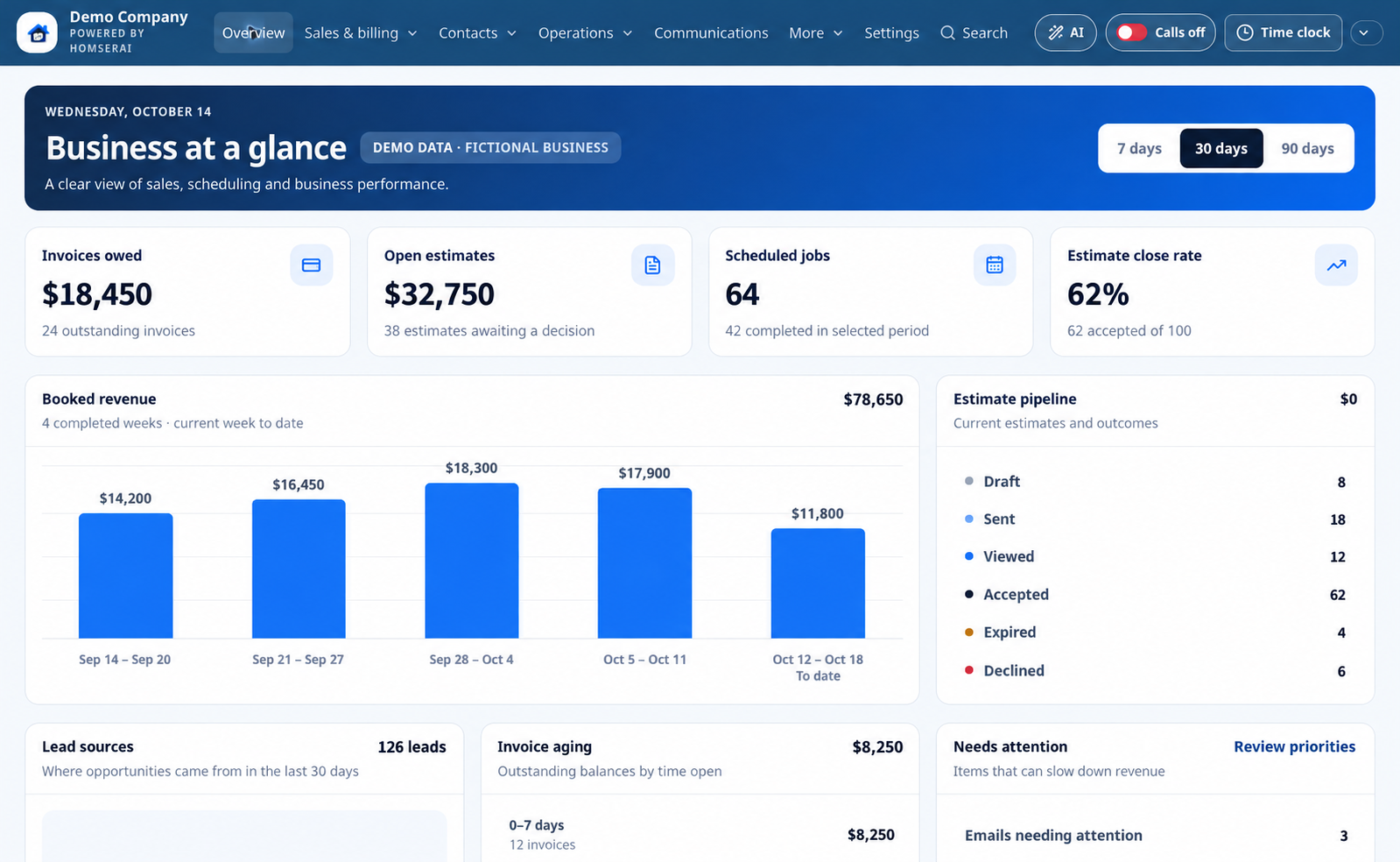
Explore desktop and mobile views with fictional demo activity. Choose a feature and expand the image for a closer look.
Illustrative demo with fictional customers and business activity.
Edited product illustration based on the app. Names, contact counts, jobs, and financial figures are fictional examples, not actual customer results.
Keep the customer context with the job, so your office and field team can pick up where the last conversation left off.
AI Assistant captures service requests from connected email, texts, calls, and voicemail, and helps match them to the right contact.
AI Assistant helps draft the estimate using your service details and pricing rules. Review the scope and price before approving delivery.
AI Assistant can create an appointment from the details you approve. Schedule accepted work, assign your crew, and keep property notes together.
AI Assistant helps prepare invoices and customer messages for approval. Your enabled reminders and follow-ups use the sending hours you set.
Useful tools for the office, a clear plan for the field, and customer history that stays with the relationship.
Ask the AI Assistant to find information, explain your workspace, and prepare work by text or voice.
Explore featureAsk the AI Assistant about upcoming work, open estimates, and outstanding invoices.
Explore featureAI Assistant captures genuine service requests from connected email, texts, calls, and voicemail.
Explore featureAsk the AI Assistant to find customer history and prepare a contact note for your approval.
Explore featureAI Assistant helps prepare estimates using the service details and prices you approve.
Explore featureAI Assistant reviews your service answers, selected photos, and company pricing rules to help build a quote draft.
Explore featureAI Assistant can create an unassigned appointment from the customer, date, and time you approve.
Explore featureAI Assistant helps create invoices and send saved invoice links after your approval.
Explore featureMake repeat work easier to quote and organize.
Explore featureAI Assistant reviews your connected inbox, flags messages needing attention, and drafts replies for approval.
Explore featureAI Assistant handles unanswered calls through your configured receptionist and captures requests for follow-up.
Explore featureStay in touch on a schedule your company controls.
Explore featureAI Assistant turns selected job photos, captions, and notes into a summary you can review.
Explore featureLet each person focus on the work they are responsible for.
Explore featureSee where your customers and service locations are.
Explore featureAsk the AI Assistant to explain company reports, revenue, outstanding balances, and performance.
Explore featureConnect Google Ads, Meta (Facebook and Instagram), and ChatGPT Ads to understand the business your advertising brings in.
Explore featureManage your businesses or locations in separate workspaces, keeping each team’s customers, schedules, and settings organized.
Explore featureUse the same workspace in the office and on the job.
Explore featureAI Assistant captures inquiries, helps draft quotes and replies, and summarizes calls and job photos. Set your business knowledge and pricing rules, then review proposed messages and actions before approving them.
Ask us about your workflowEditable service questions and quote rules.
Company sending hours for automated texts and emails.
Permissions that fit each person's role.
Review drafts and manually adjust estimate stages.
Loading current prices…
You can use HomSerAI in your browser on a computer, tablet, or phone. You can also add it to your phone's home screen. App-store versions are not currently offered.
The app has email and phone setup options. Availability depends on the provider, account configuration, permissions, and required approvals. Contact us if you need help checking your setup.
AI Assistant prepares editable email replies for your approval. Messages and supported workspace actions require your authorization. Scheduled reminders and your configured AI receptionist follow the rules your company enables.
Invoice payment options depend on the processor configured for your business. Your payment-processing fees are separate from the HomSerAI subscription. We can help verify your setup before you use it.
The CRM provides reporting and AI recommendations; it does not automatically create, launch or optimize ads. You can manage campaigns in Google Ads, Meta Ads Manager or ChatGPT Ads Manager, or hire the HomSerAI team for $250/month per platform or $599/month for all three. You own your ad accounts and pay advertising spend directly to each platform, separately from management fees and your CRM subscription. Complete the intake in Marketing → Manage My Marketing so our team can review your setup before arranging a call. Website, form and call tracking must also be configured to connect inquiries to campaigns.
HomSerAI is software for business use. Subscription prices exclude applicable sales tax. Tax is added where required based on your business location and shown separately at checkout and on your billing invoice. Keep your billing address current. For sales tax exemptions, contact support@homserai.com before purchasing.
Use billing management to cancel an active subscription, or contact support@homserai.com if you need assistance. Account and data requests are explained on our data-request page.