Ask the AI Assistant to find information, explain your workspace, and prepare work by text or voice.
AI Assistant can prepare estimates, invoices, text messages, appointments, and customer notes
Review the customer, content, price, date, or budget before approving a supported action
AI Assistant confirms completed actions after the app saves or sends them; team permissions and usage allowances apply
OfficeAI Assistant
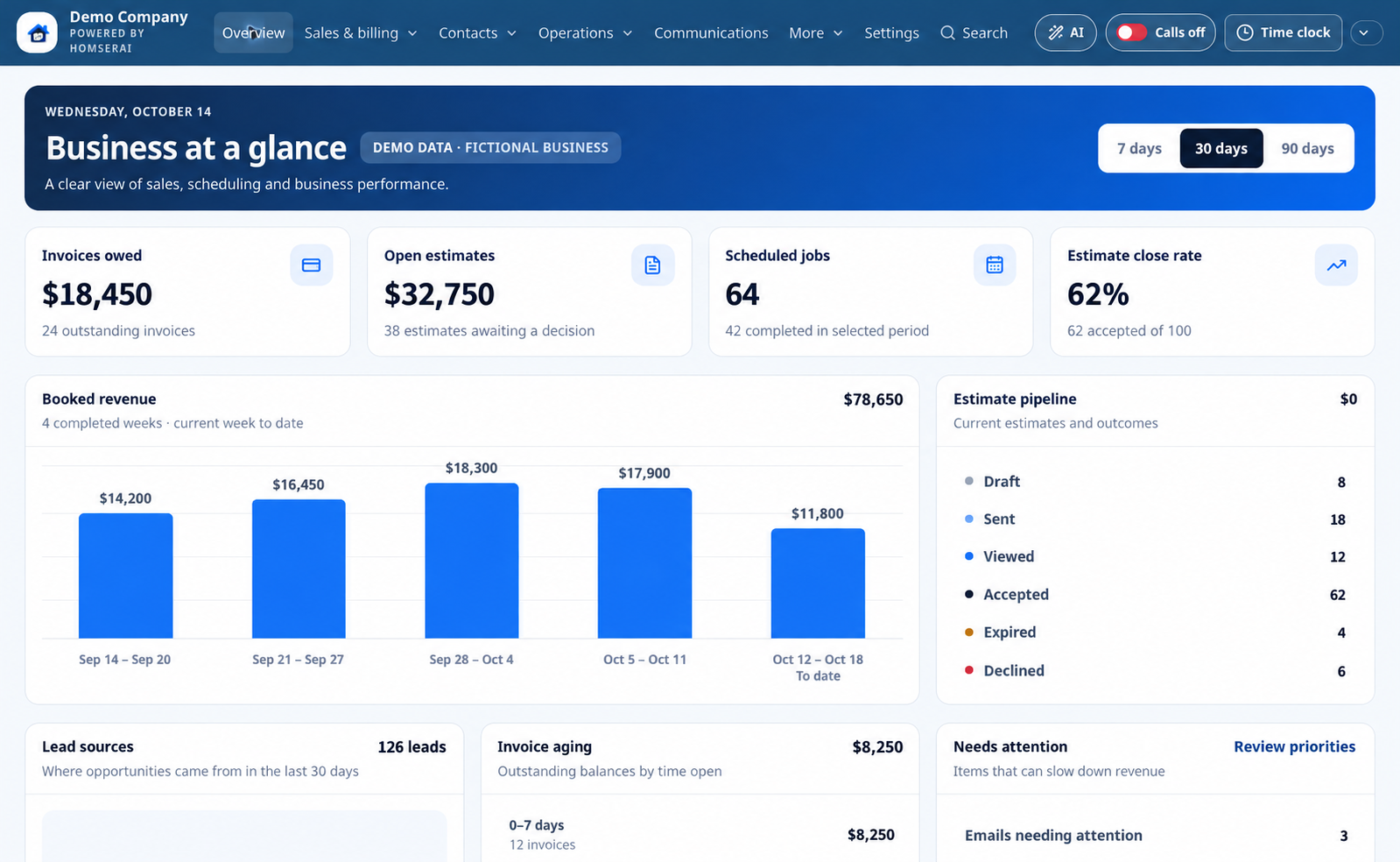
Business at a glance
Ask the AI Assistant about upcoming work, open estimates, and outstanding invoices.
Open estimates, invoices owed, and booked revenue
Estimate pipeline with accepted, declined, and expired outcomes
Annual revenue planning included free; Command Center in paid workspaces
Overview · desktop
Illustrative demo with fictional customers and business activity.
Edited product illustration based on the app. Names, contact counts, jobs, and financial figures are fictional examples, not actual customer results.
OfficeAI Assistant
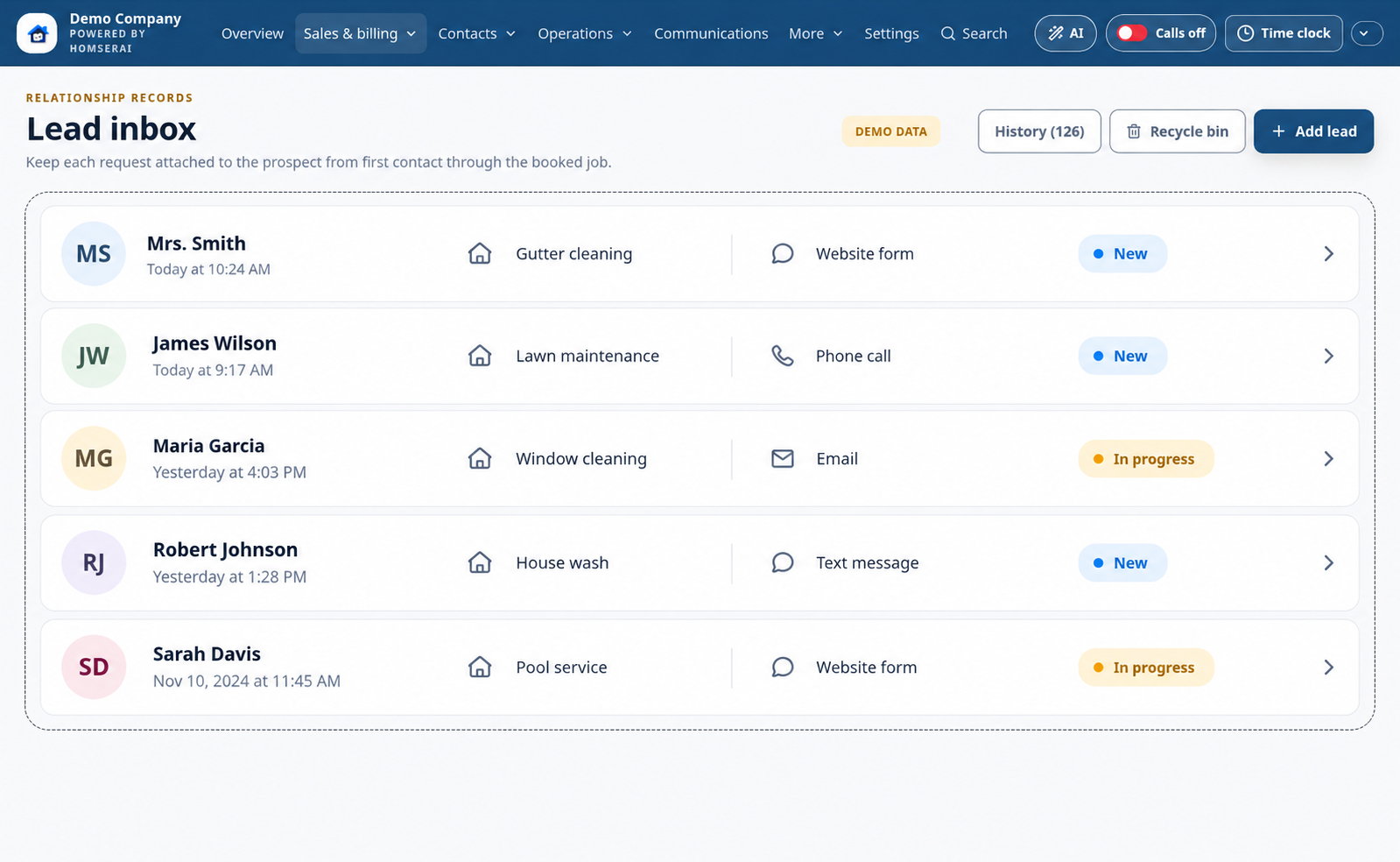
Leads & prospects
AI Assistant captures genuine service requests from connected email, texts, calls, and voicemail.
AI Assistant identifies service inquiries and extracts the requested work and available contact details
AI Assistant helps link inquiries to existing contacts or create prospects when enough information is available
Keep incomplete inquiries for review; close leads without deleting their history
Lead inbox · desktop
Illustrative demo with fictional customers and business activity.
Edited product illustration based on the app. Names, contact counts, jobs, and financial figures are fictional examples, not actual customer results.
OfficeAI Assistant
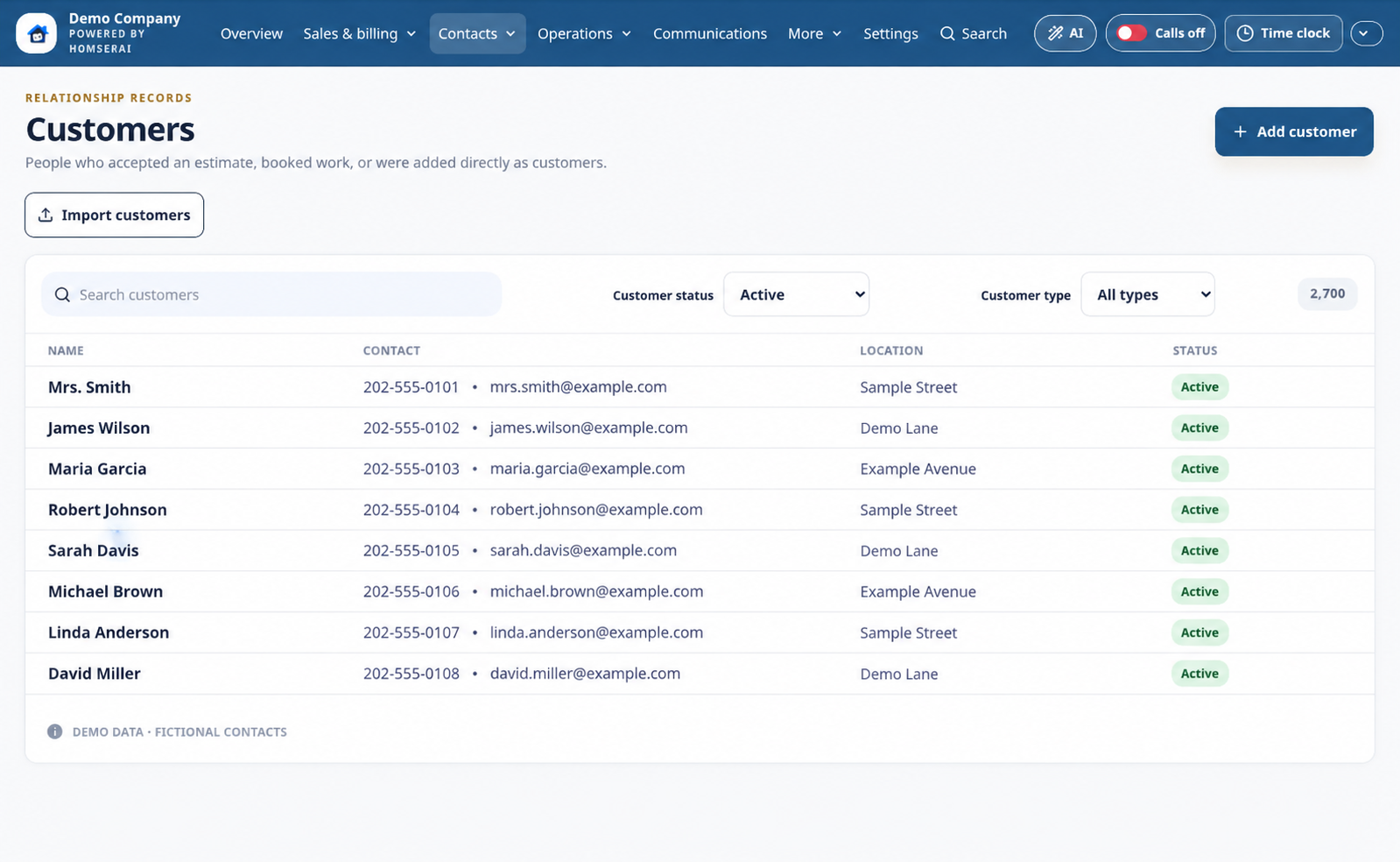
Customer profiles & service locations
Ask the AI Assistant to find customer history and prepare a contact note for your approval.
Residential and commercial contacts, company names, and contact people
Multiple service locations, notes, estimates, invoices, and communication history
Search contacts and import customers and prospects separately
Customers · desktop
Illustrative demo with fictional customers and business activity.
Edited product illustration based on the app. Names, contact counts, jobs, and financial figures are fictional examples, not actual customer results.
OfficeAI Assistant
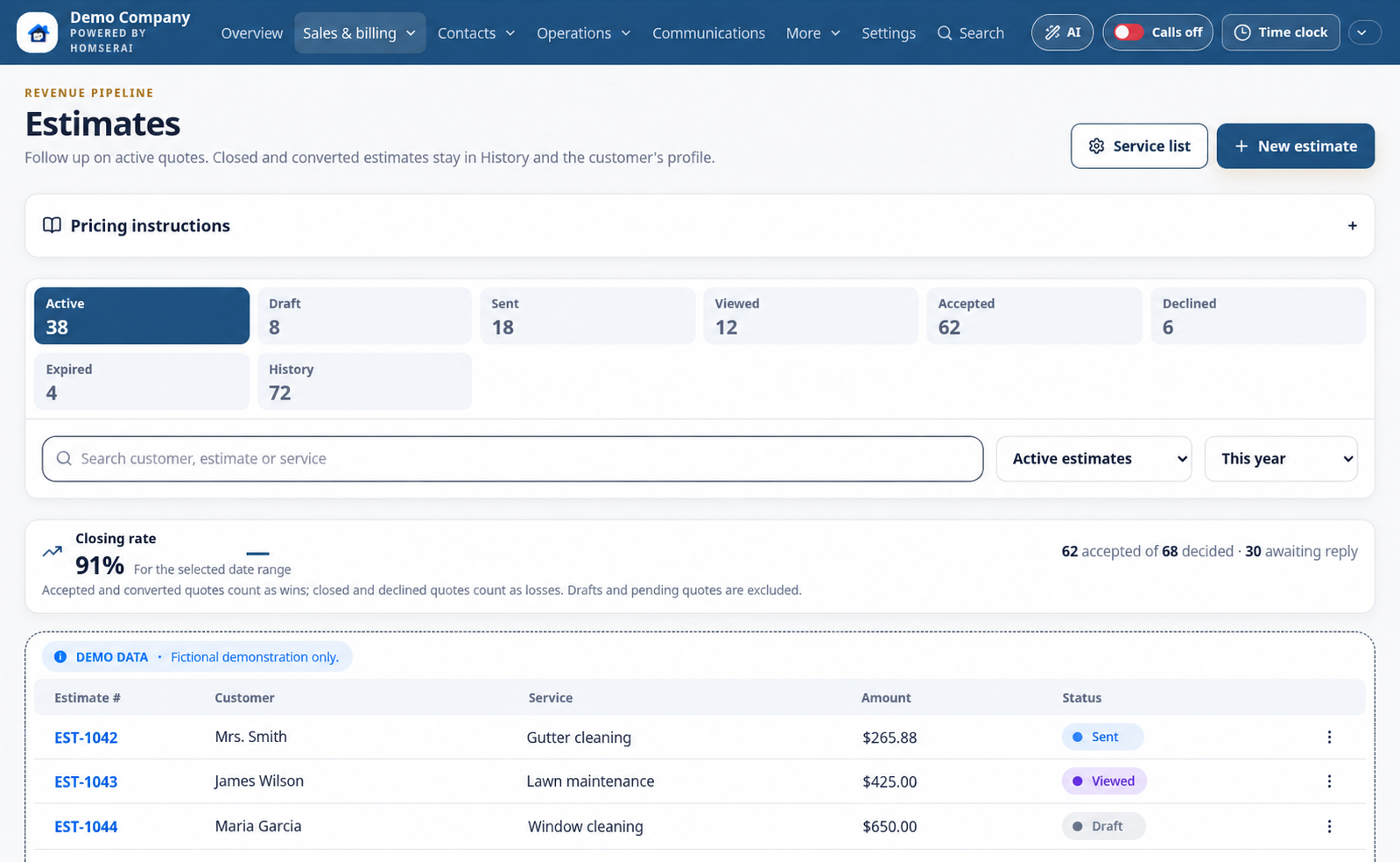
Estimates & proposals
AI Assistant helps prepare estimates using the service details and prices you approve.
Search saved services, plans, and memberships; customize descriptions and pricing
Offer packages, discounts, taxes, customer accept or decline options, and signatures
AI Assistant can create and send an estimate after you approve its details and delivery channel
Customer acceptance, signatures, and manually adjustable estimate stages
Estimates · desktop
Illustrative demo with fictional customers and business activity.
Edited product illustration based on the app. Names, contact counts, jobs, and financial figures are fictional examples, not actual customer results.
OfficeAI Assistant
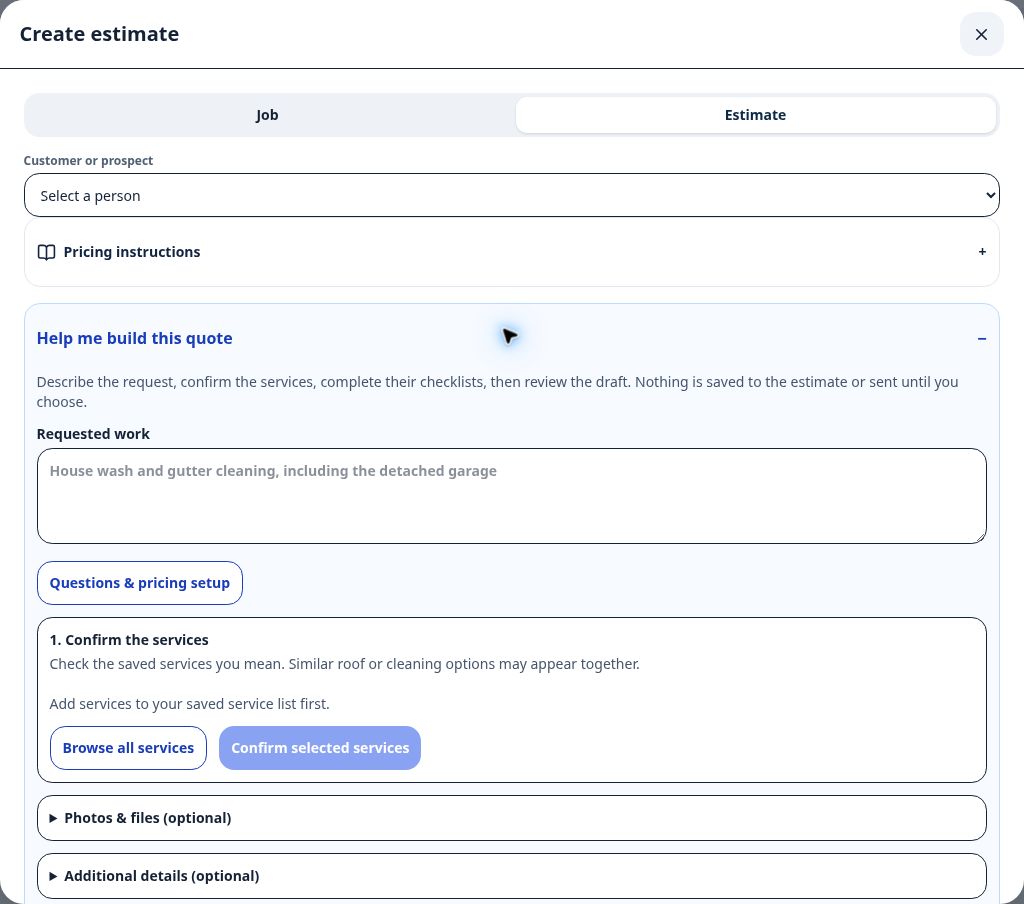
Help me build my quote
AI Assistant reviews your service answers, selected photos, and company pricing rules to help build a quote draft.
Service-specific checklists for measurements, materials, and job details
AI Assistant can organize a written pricing guide into editable rules for your approval
Apply a draft to the estimate, then review its scope and price before sending
Quote assistant · desktop
Captured in the HomSerAI test workspace.
Actual app capture · October 14, 2026 · Test workspace with sample or empty records. Personal contact details are excluded.
FieldAI Assistant
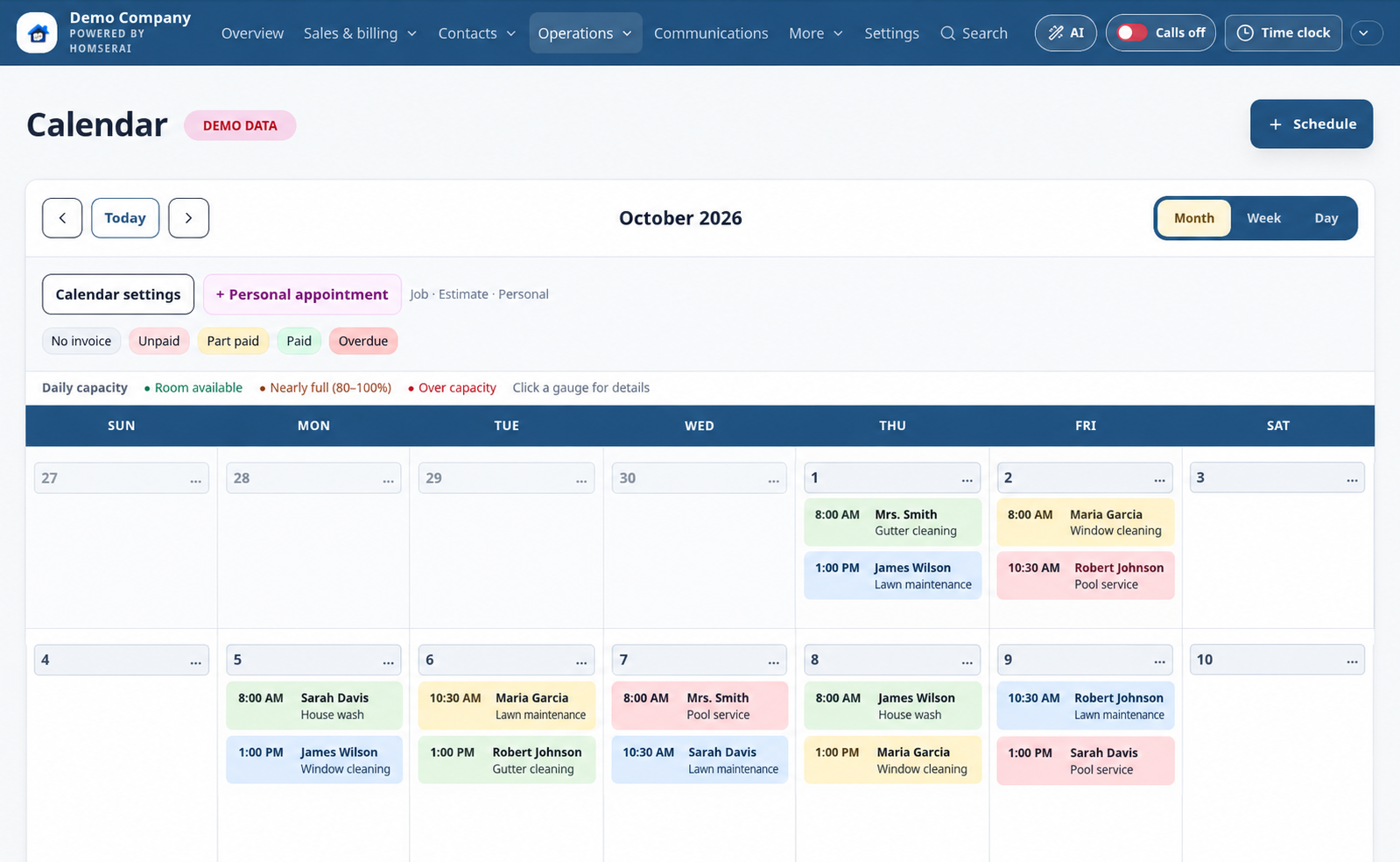
Scheduling & crew capacity
AI Assistant can create an unassigned appointment from the customer, date, and time you approve.
Month, week, and day calendar views
Move accepted estimates toward scheduling and assign crews; AI-created appointments still need crew assignment
Service locations, capacity indicators, and scheduling suggestions
Calendar · desktop
Illustrative demo with fictional customers and business activity.
Edited product illustration based on the app. Names, contact counts, jobs, and financial figures are fictional examples, not actual customer results.
OfficeAI Assistant
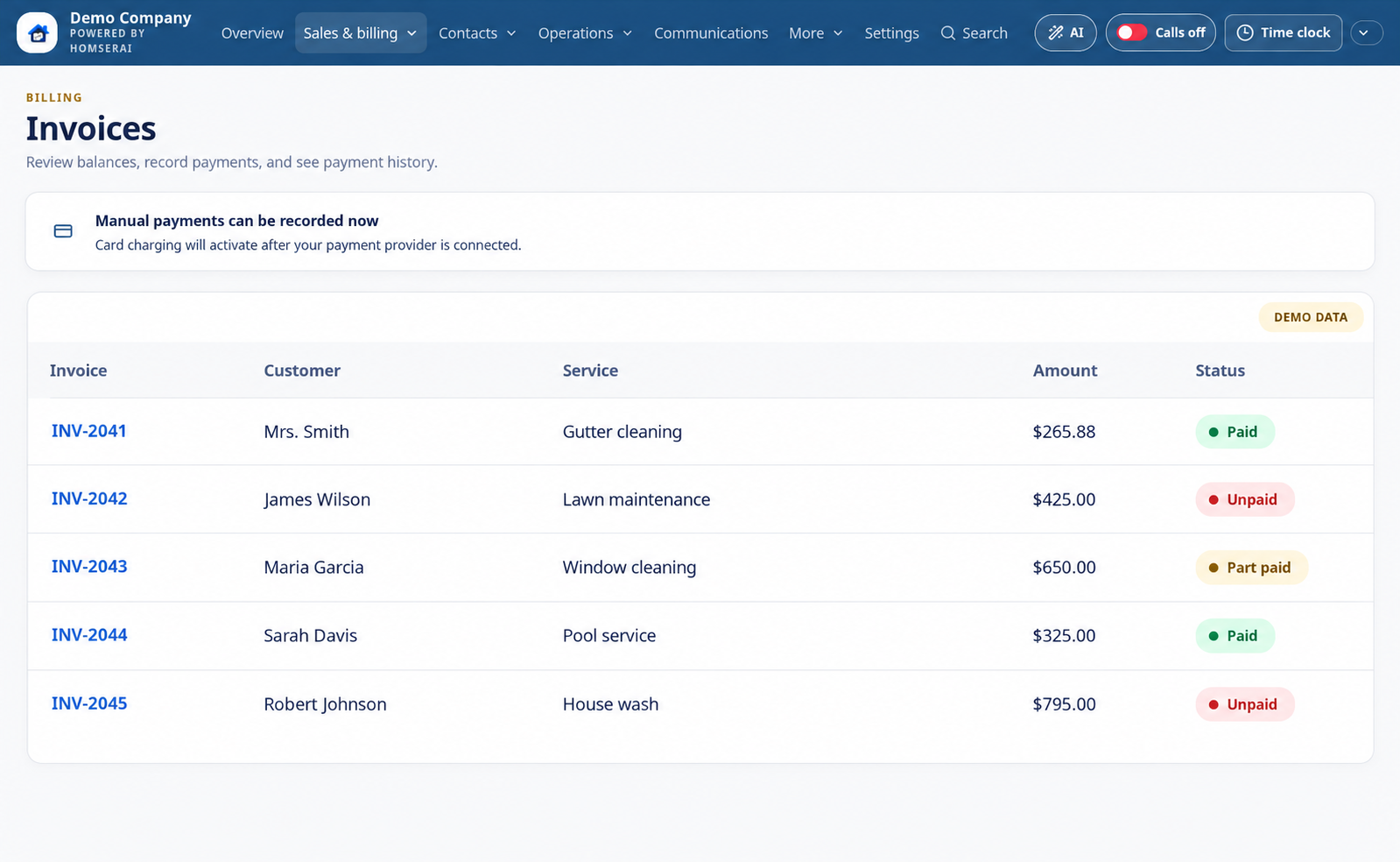
Invoices & payments
AI Assistant helps create invoices and send saved invoice links after your approval.
Customizable invoice appearance, service descriptions, quantities, rates, and taxes
Share customer invoice links and use connected payment processors
Approve AI invoice creation and sending separately; track payments and keep job history
Delete an invoice without deleting its job
Invoices · desktop
Illustrative demo with fictional customers and business activity.
Edited product illustration based on the app. Names, contact counts, jobs, and financial figures are fictional examples, not actual customer results.
Office
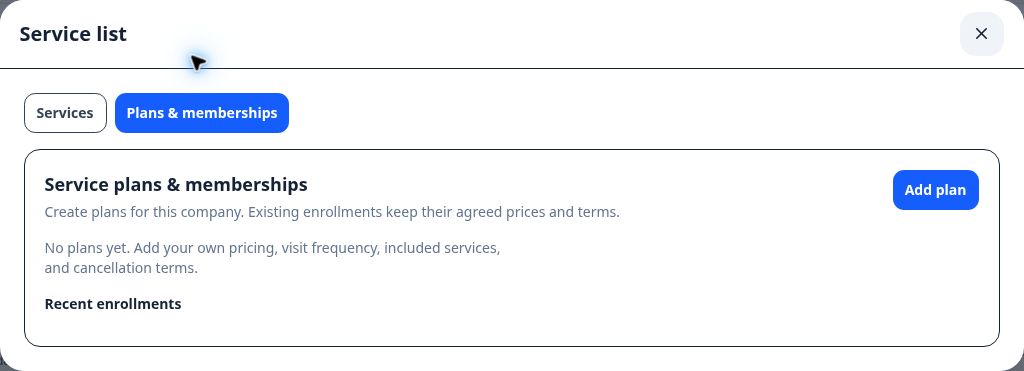
Service plans & memberships
Make repeat work easier to quote and organize.
Company-specific prices, billing periods, visit frequency, included services, and terms
Choose plans directly inside the estimate service list
Recurring card billing requires a paid workspace, a supported connected processor, an authorized card, and separate customer approval; visits are scheduled separately
Plans & memberships · desktop
Captured in the HomSerAI test workspace.
Actual app capture · October 14, 2026 · Test workspace with sample or empty records. Personal contact details are excluded.
CommunicationAI Assistant
Email, texts & call history
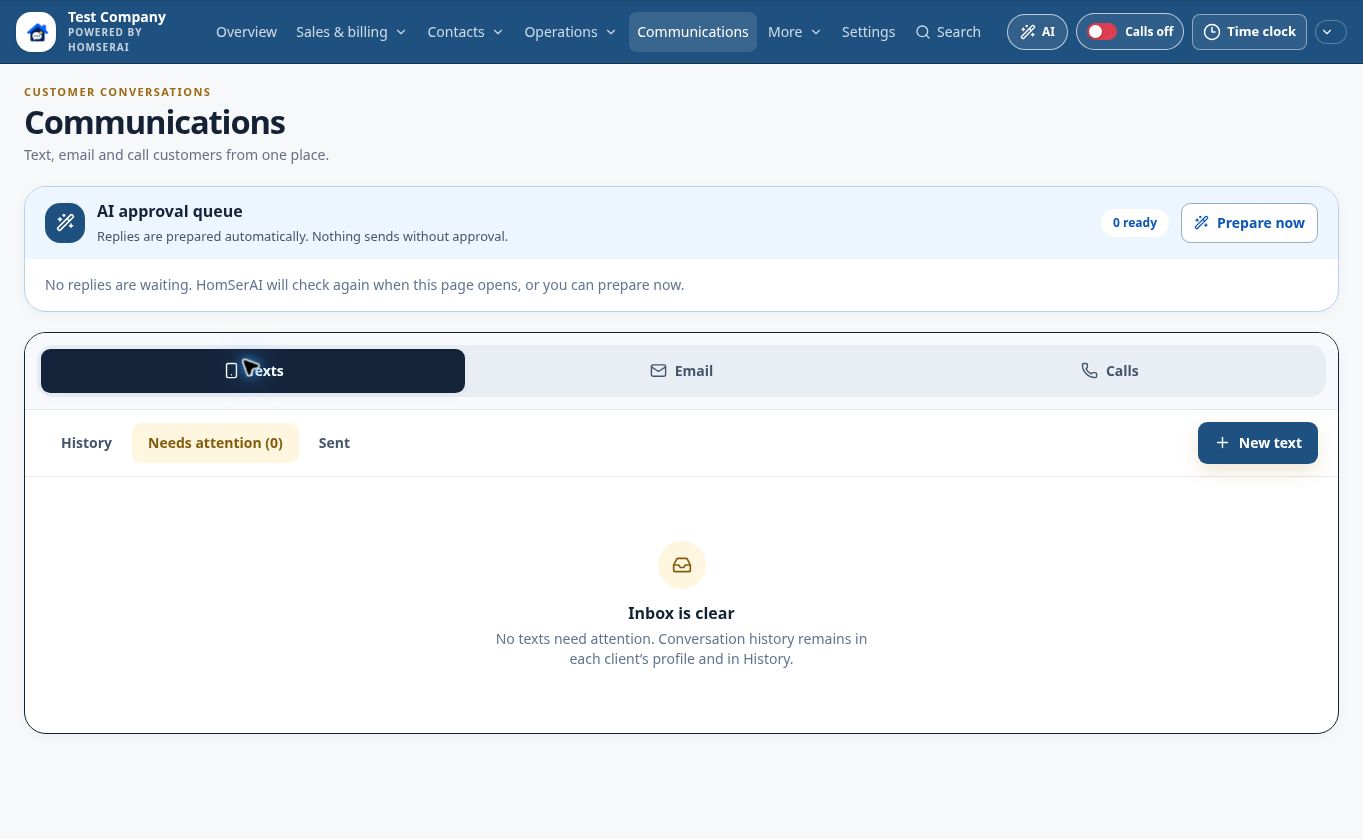
AI Assistant reviews your connected inbox, flags messages needing attention, and drafts replies for approval.
Connected Gmail or Outlook company mailbox
Email, text, and call records in customer profiles
AI Assistant prepares editable email replies; you approve sending and can ask it to prepare a text message
Text messages · desktop
Captured in the HomSerAI test workspace.
Actual app capture · October 14, 2026 · Test workspace with sample or empty records. Personal contact details are excluded.
CommunicationAI Assistant
HomSerAI Voice
AI Assistant handles unanswered calls through your configured receptionist and captures requests for follow-up.
AI Assistant answers using your company greeting, business knowledge, and quote process
AI Assistant summarizes calls and voicemail, extracts customer details, and helps prepare lead and estimate drafts for review
Configured missed-call texts and voicemail provide backup when the team and AI cannot answer
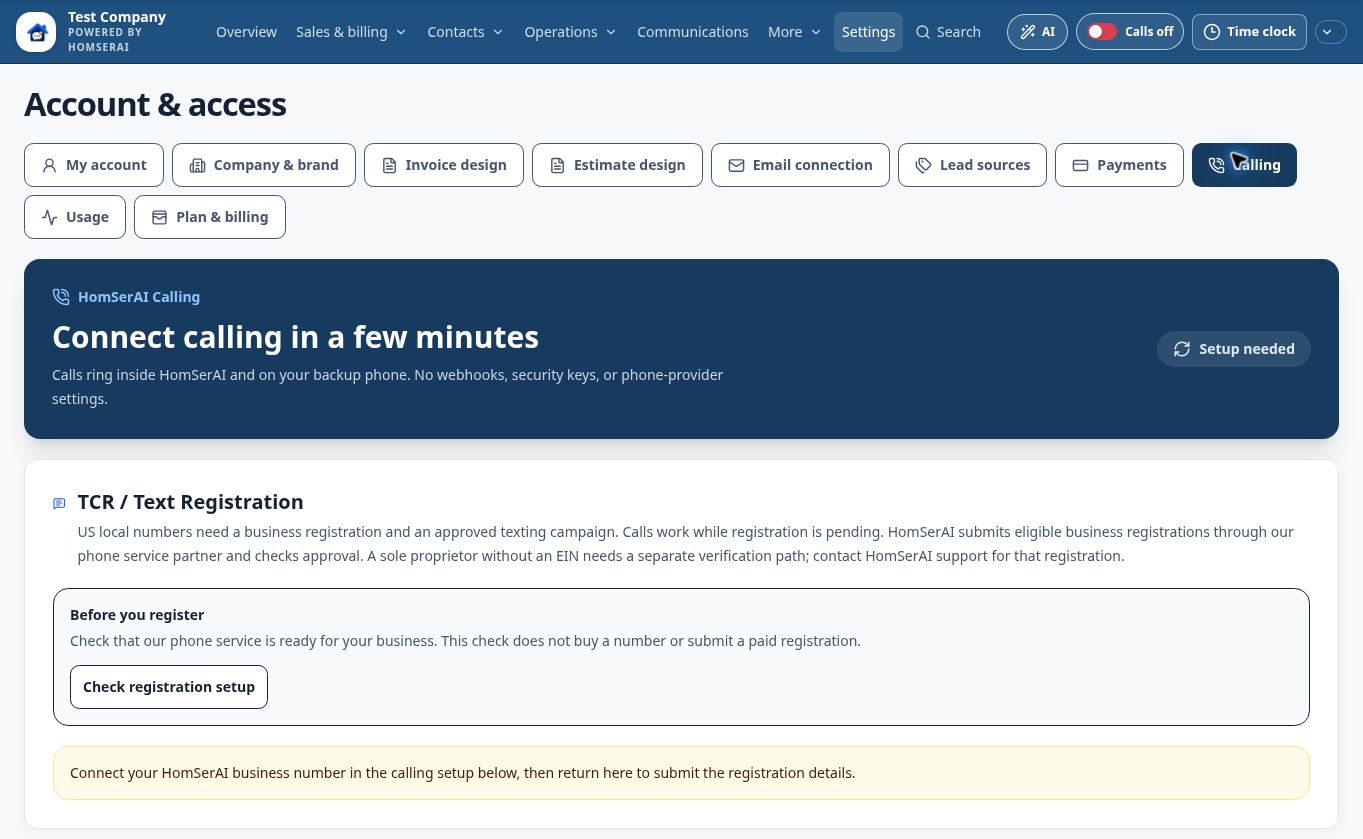
Business-number setup, recording configuration, provider approvals, and usage charges apply
Calling setup · desktop
Captured in the HomSerAI test workspace.
Actual app capture · October 14, 2026 · Test workspace with sample or empty records. Personal contact details are excluded.
Communication
Reminders, follow-ups & reviews
Stay in touch on a schedule your company controls.
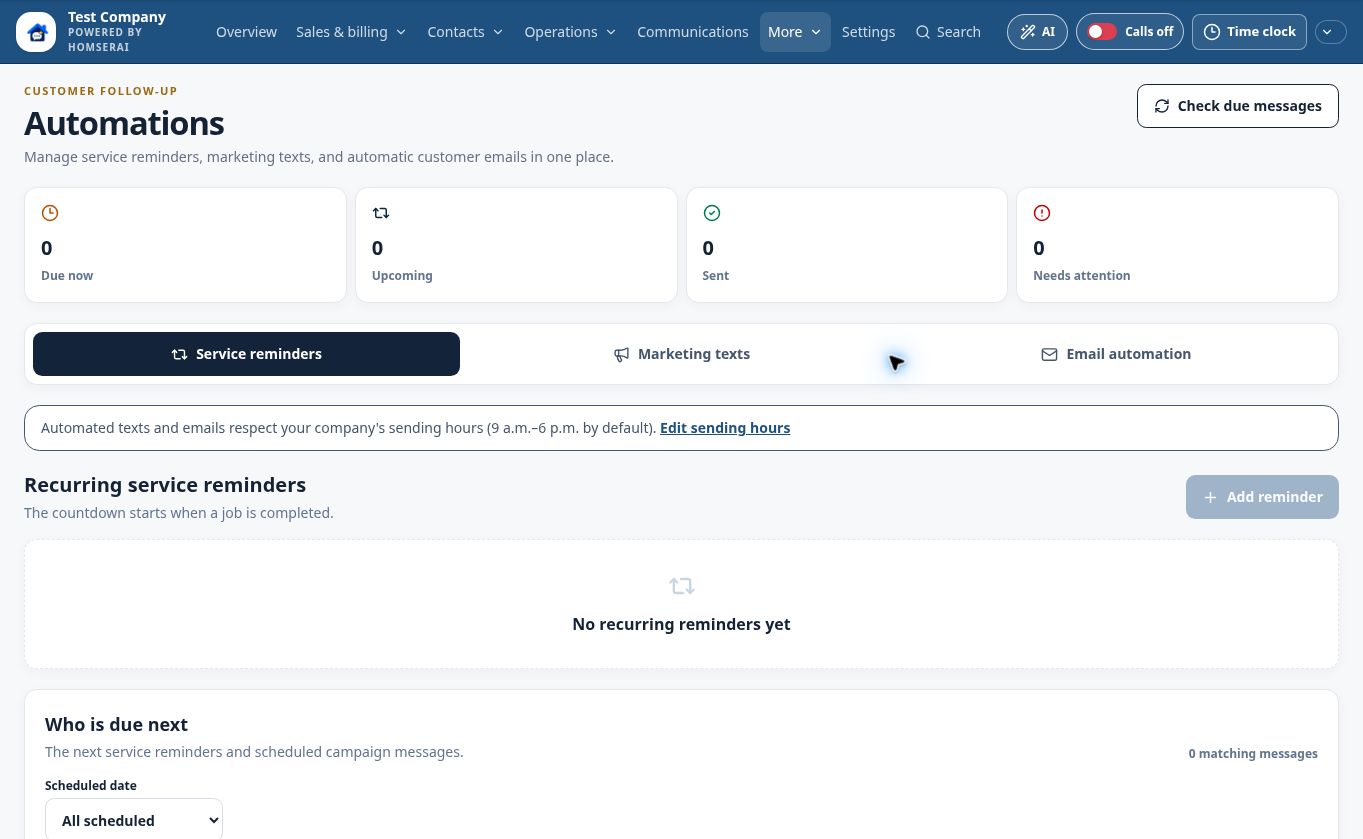
Appointment and service reminders, follow-up sequences, and review requests
Company-defined templates and automated sending hours
Enable the automations you need; manual messages can be sent separately
Automations · desktop
Captured in the HomSerAI test workspace.
Actual app capture · October 14, 2026 · Test workspace with sample or empty records. Personal contact details are excluded.
FieldAI Assistant
Field notes, photos & job reports
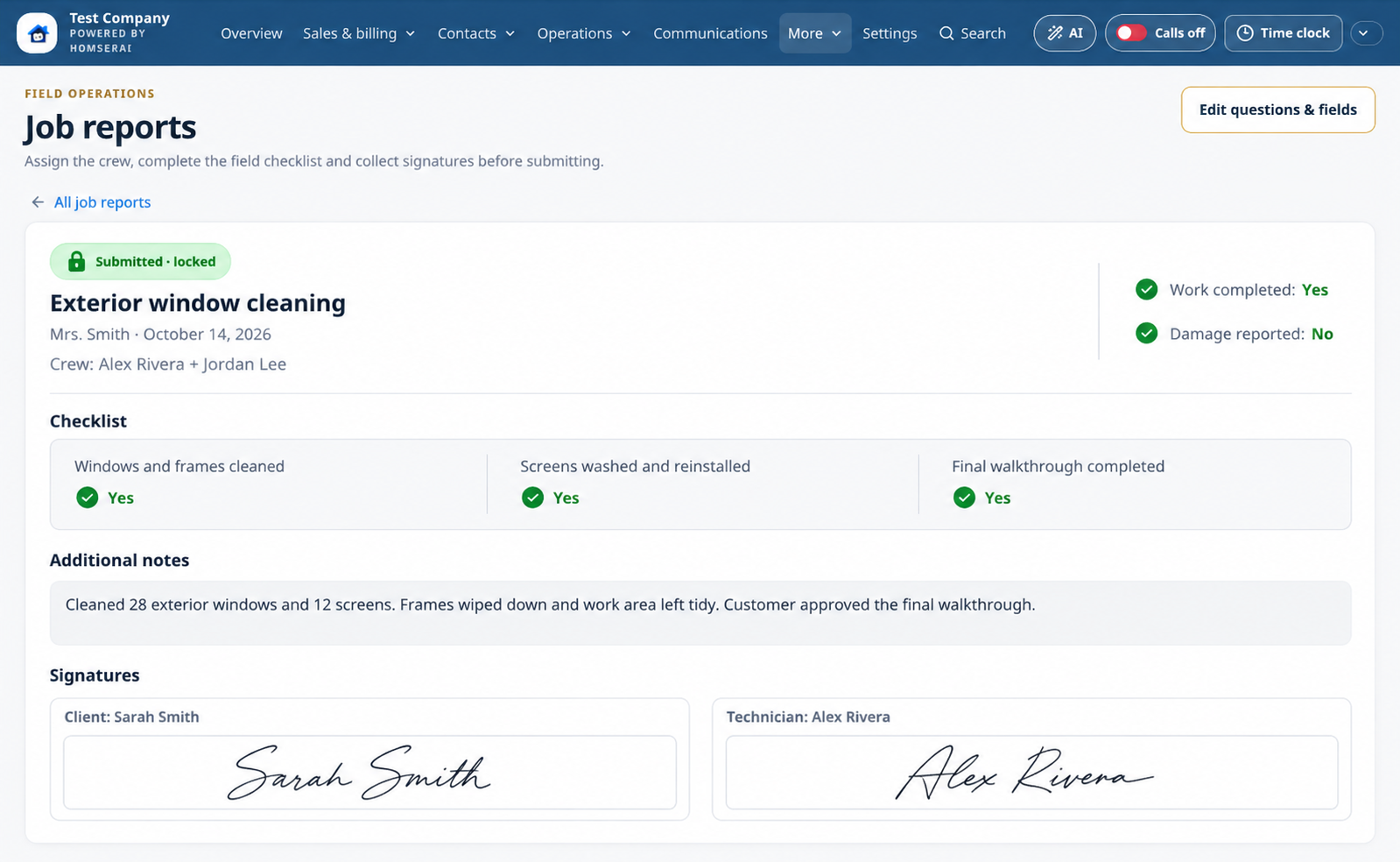
AI Assistant turns selected job photos, captions, and notes into a summary you can review.
Assigned job information with access based on team roles
Before and after photos, videos, files, and field notes
AI Assistant drafts a customer-ready job summary from the documented work; review it before sharing
End-of-job reporting and documented work stay with the customer
Job reports · desktop
Illustrative demo with fictional customers and business activity.
Edited product illustration based on the app. Names, contact counts, jobs, and financial figures are fictional examples, not actual customer results.
Field
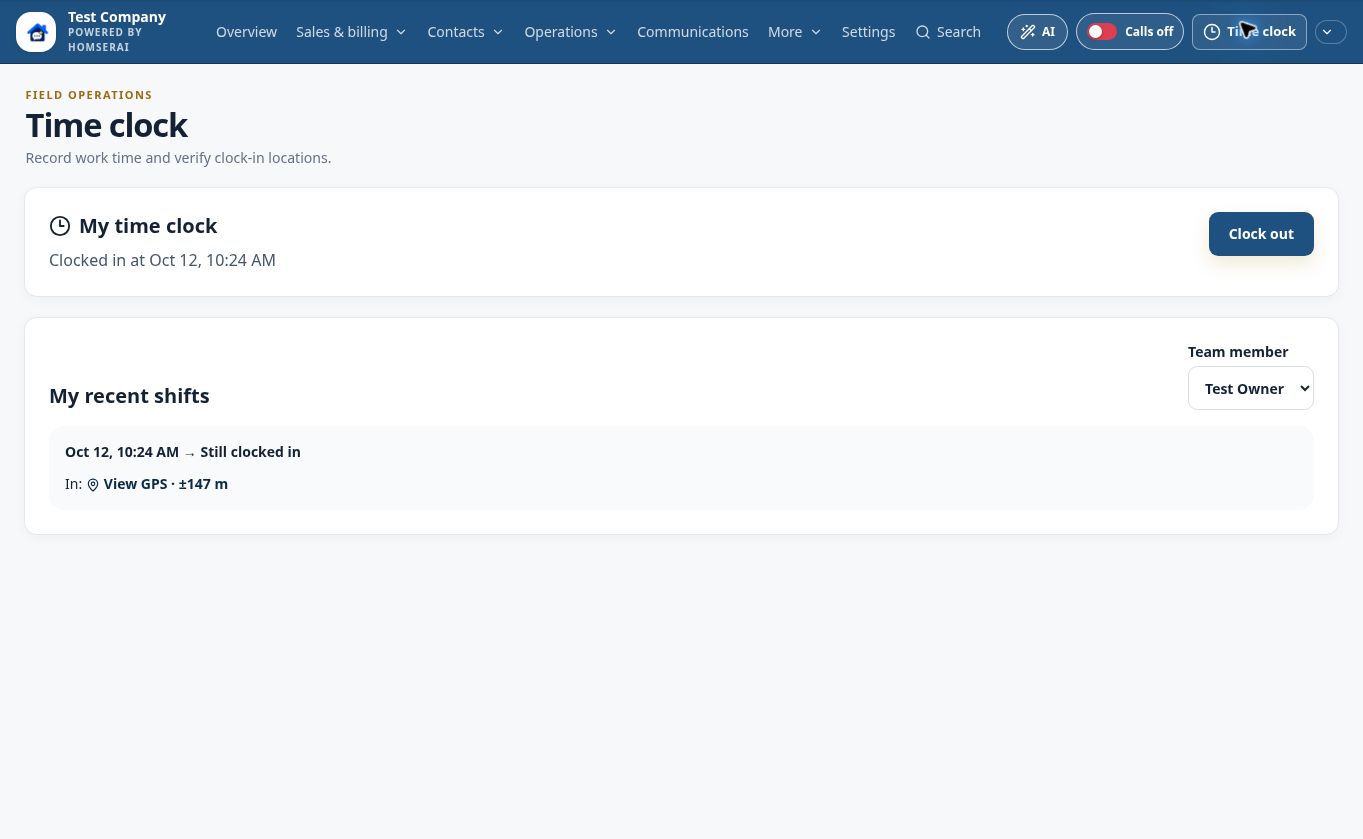
Team permissions & time clock
Let each person focus on the work they are responsible for.
Owner, administrator, sales, lead technician, and assistant roles
Control access to customer information and office features
Time clock and employee work records
Time clock · desktop
Captured in the HomSerAI test workspace.
Actual app capture · October 14, 2026 · Test workspace with sample or empty records. Personal contact details are excluded.
Field
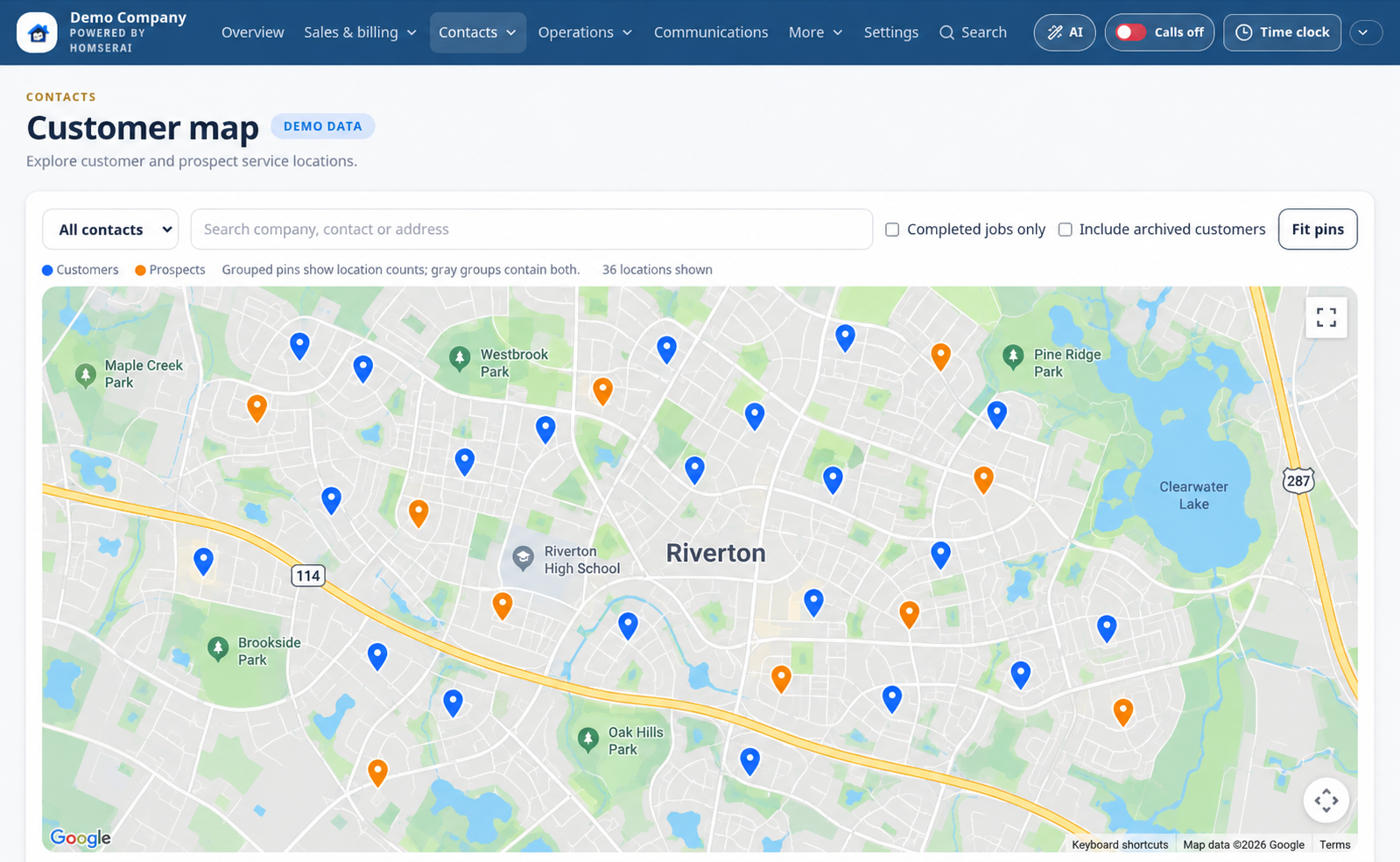
Customer map & routing
See where your customers and service locations are.
Blue customer pins and amber prospect pins
Grouped location counts and filters for service history
Saved map coordinates and route-planning tools; complete, locatable addresses are required
Customer map · desktop
Illustrative demo with fictional customers and business activity.
Edited product illustration based on the app. Names, contact counts, jobs, and financial figures are fictional examples, not actual customer results.
GrowthAI Assistant
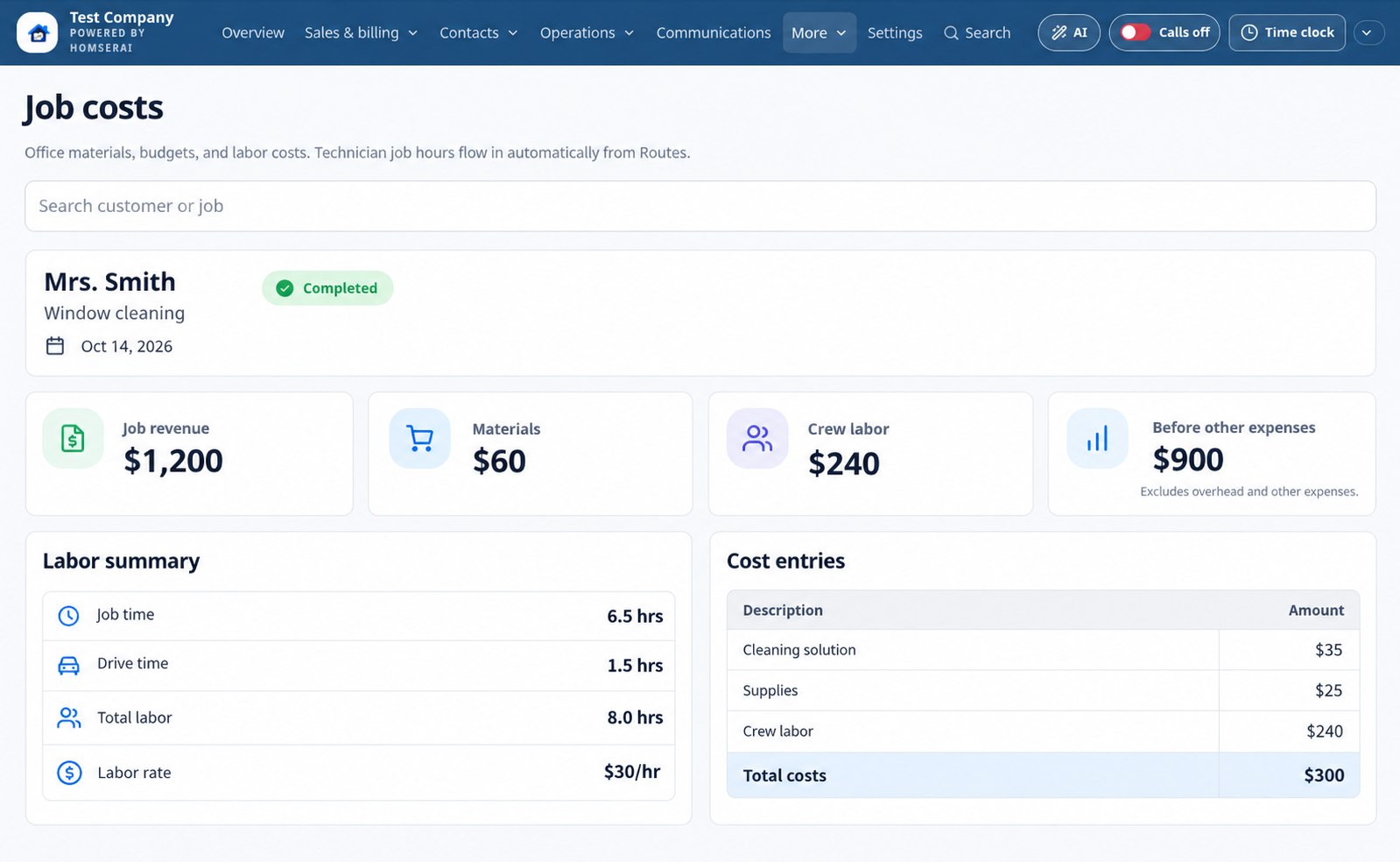
Reports & job costs
Ask the AI Assistant to explain company reports, revenue, outstanding balances, and performance.
Revenue, payments, customer, service, and estimate reporting
Closing rates and report date filters
Job cost budgets, labor and expense entries, and performance views
Job costs · desktop
Illustrative demo with fictional customers and business activity.
Edited product illustration based on the app. Names, contact counts, jobs, and financial figures are fictional examples, not actual customer results.
GrowthAI Assistant
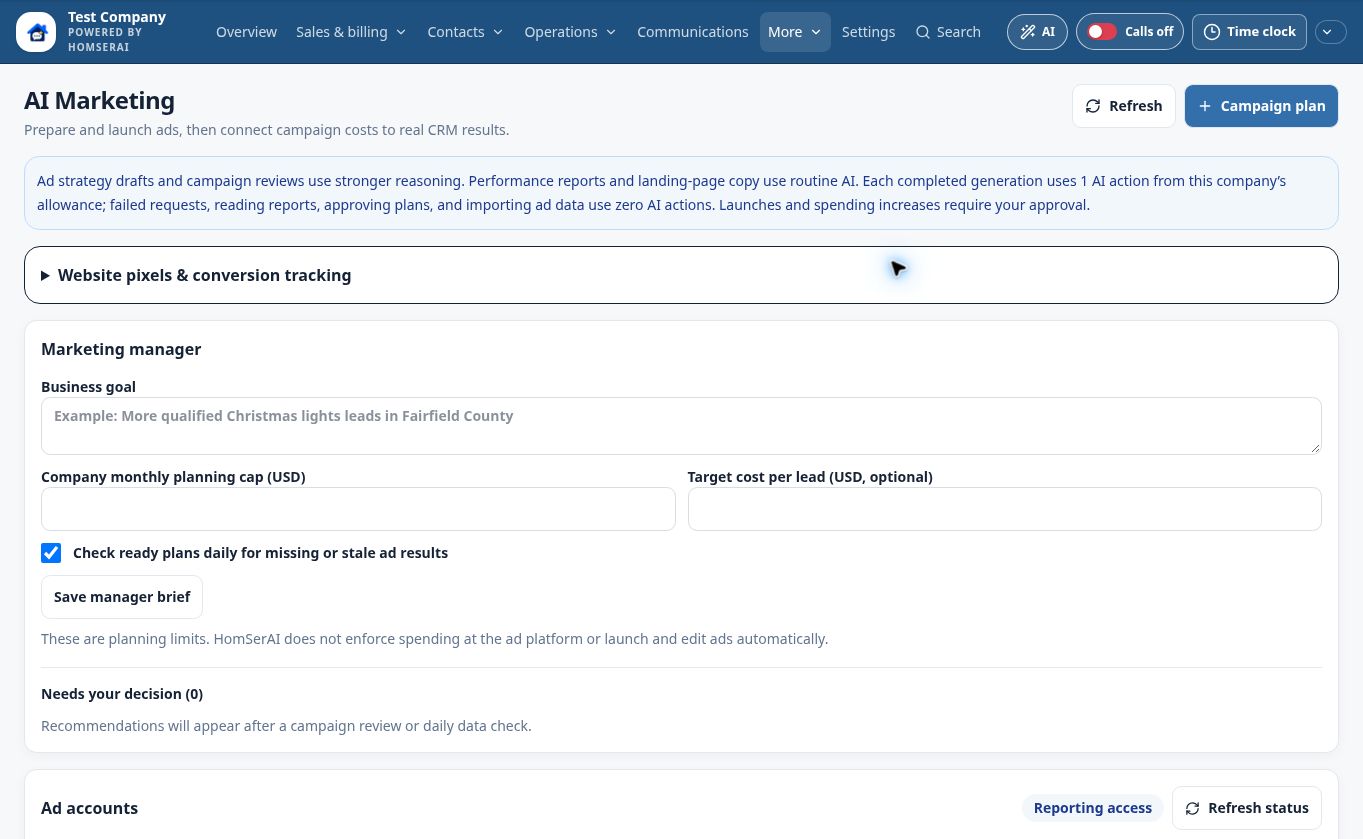
Marketing
Connect Google Ads, Meta (Facebook and Instagram), and ChatGPT Ads to understand the business your advertising brings in.
Create and host landing pages with lead tracking included; AI drafts, revisions and analyses use your company’s AI allowance
AI Assistant reviews recorded performance and recommends practical next steps
Compare imported advertising costs with attributed CRM inquiries, estimates, customers and payments; tracking gaps remain visible
Manage campaigns in each platform’s Ads Manager, or request HomSerAI team management at $250/month per platform or $599/month for all three. Ad spend and CRM subscription are separate; you retain account ownership
Marketing · desktop
Captured in the HomSerAI test workspace.
Actual app capture · October 14, 2026 · Test workspace with sample or empty records. Personal contact details are excluded.
Office
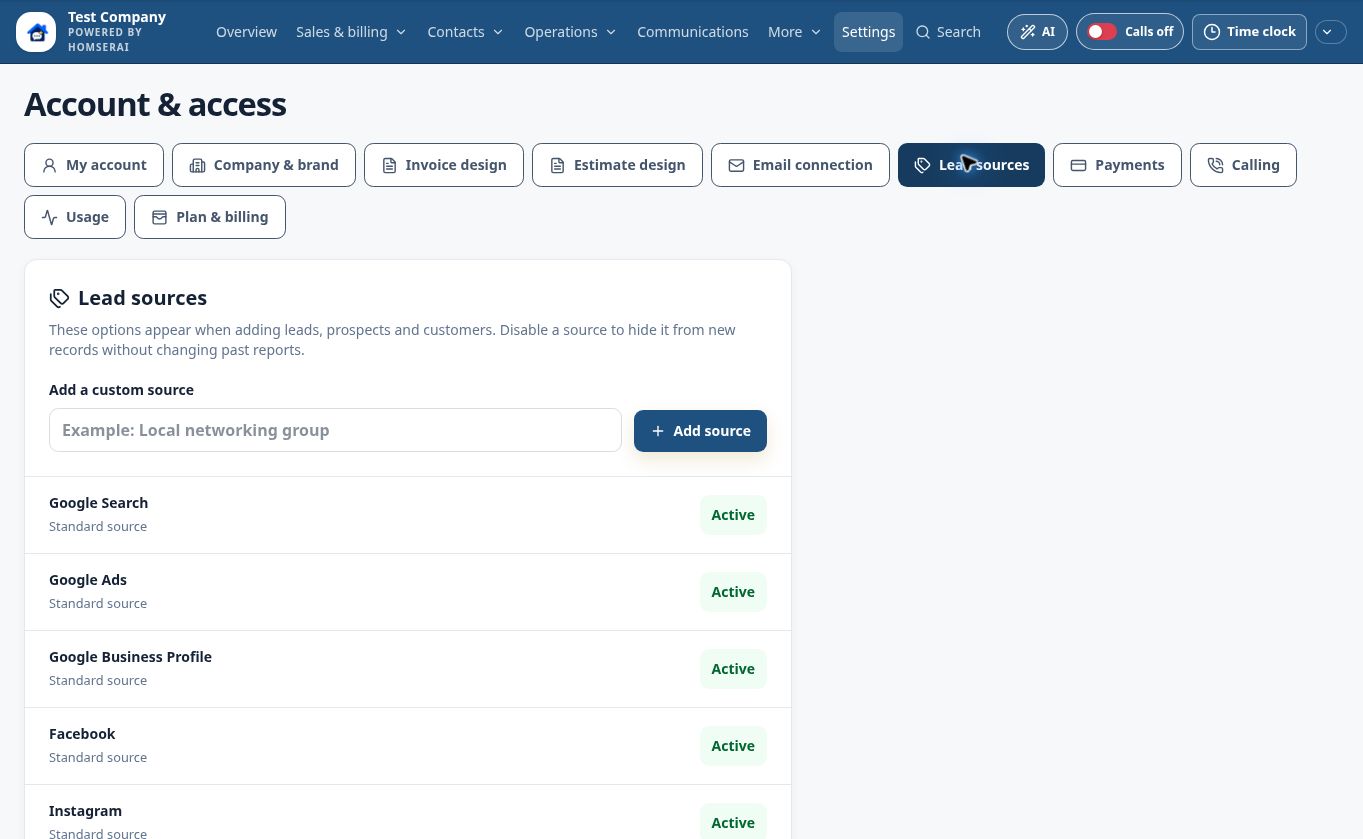
Multiple companies. Multiple locations. One login.
Manage your businesses or locations in separate workspaces, keeping each team’s customers, schedules, and settings organized.
Switch between the company or location workspaces you have access to with one login
Give each business or location its own workspace, with separate contacts, schedules, services, branding, and settings
Company-specific team permissions, communication connections, payment connections, and usage allowances
Lead sources · desktop
Captured in the HomSerAI test workspace.
Actual app capture · October 14, 2026 · Test workspace with sample or empty records. Personal contact details are excluded.
Field
Desktop, tablet & phone
Use the same workspace in the office and on the job.
Responsive browser layouts for computers, tablets, and phones
Compact mobile navigation and collapsible dashboard sections
Add HomSerAI to your home screen; app-store downloads are not currently offered
Overview · desktop
Illustrative demo with fictional customers and business activity.
Edited product illustration based on the app. Names, contact counts, jobs, and financial figures are fictional examples, not actual customer results.
REAL APP CAPTURES
Look closer.
Select a screen and expand it. Each capture is labeled by its actual device layout and capture date.
Overview · desktop
Illustrative demo with fictional customers and business activity.
Edited product illustration based on the app. Names, contact counts, jobs, and financial figures are fictional examples, not actual customer results.
Feature availability depends on your HomSerAI plan and team permissions. Calling, texting, AI, storage, payment processing, and hosted landing pages may carry separate usage charges or provider requirements.